

Cognise learning platform.
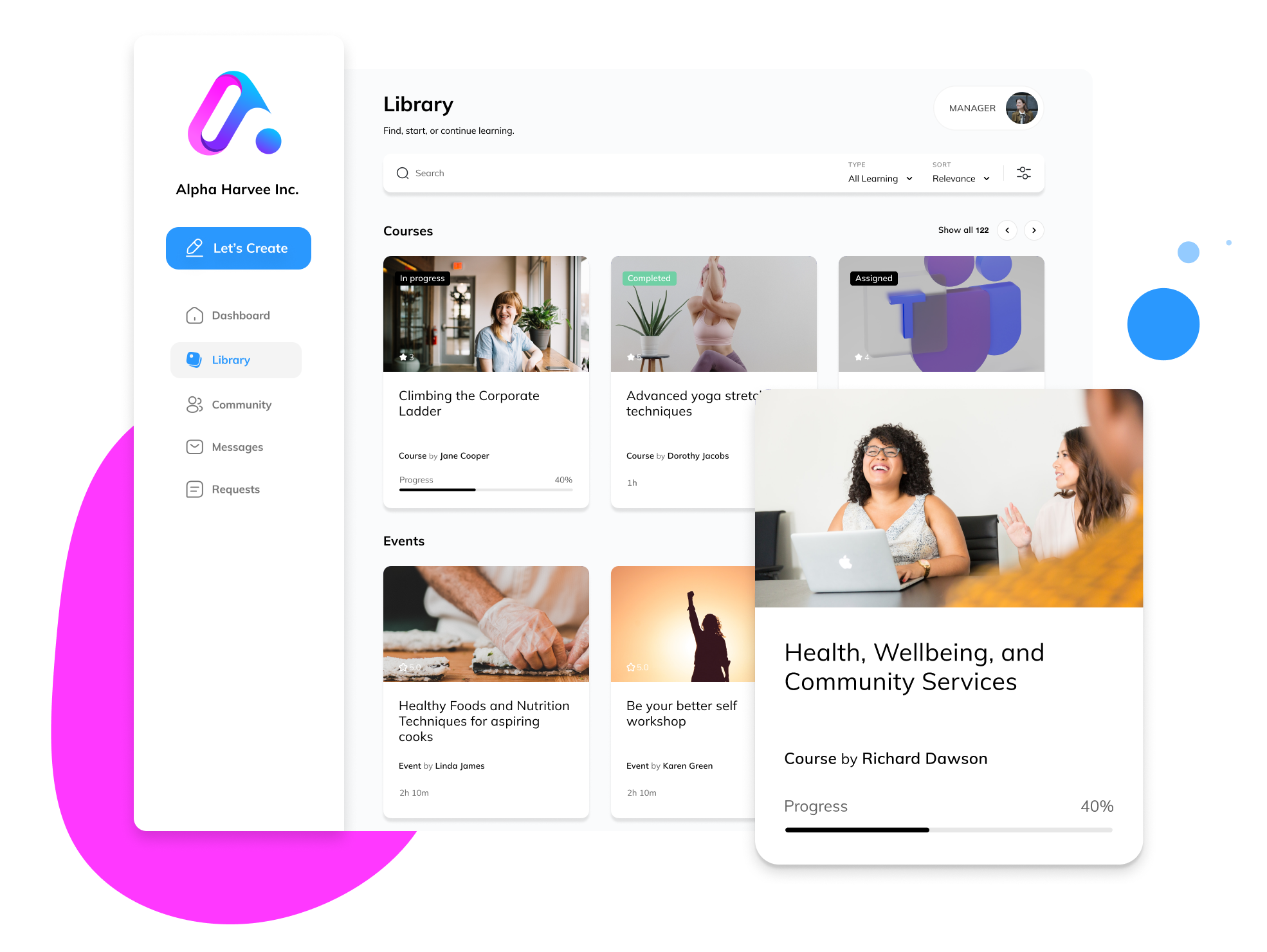
A single system to run, manage, and verify learning across your organisation.
Improving learning outcomes rarely starts with more systems. It starts with better learning experiences.
Learners today expect clarity, relevance, and momentum.
They are used to digital experiences that are responsive, intuitive, and purposeful.
Cognise is designed to support how people actually learn now, while still meeting the governance, security, and reporting standards organisations require.
Organisations are losing learners not because they lack systems, but because their learning experiences no longer compete for attention. This is not about replacing systems. It’s about closing the gap between learning delivery and learner expectation.
Designed for real learner experience.
When learning works, learners understand what is expected of them, why it matters, and what comes next.
Cognise is designed so learning feels clear, consistent, and purposeful for the people doing it, not fragmented across systems or reduced to a series of disconnected courses.
What learners experience in Cognise
-
Learners see learning that is relevant to their role and stage, with a clear sense of priority and progression.
No searching. No second-guessing what matters.
-
Onboarding, compliance, capability uplift, and programmes all follow a familiar structure.
As content evolves, the experience remains coherent and predictable.
-
Learners can see what they have completed, what is outstanding, and where they are heading.
Progress is visible without chasing information or switching tools.
Built for experience without compromising control
This learner experience is not achieved by removing structure or governance.
It is the result of treating learning as a system that is designed to be navigated by people and trusted by organisations.
Cognise ensures learning remains:
Consistent across audiences and programmes
Governed without creating friction
Verifiable when proof matters
Why this matters at scale
When learning is fragmented:
Learners disengage or do the minimum required
Managers chase completion instead of supporting development
L&D spends time fixing delivery rather than improving learning
When learning works in Cognise:
Learners understand expectations and stay oriented
Managers get clarity without extra administration
L&D focuses on quality, outcomes, and continuous improvement
Platform overview.
Cognise is the system that makes learning work across large organisations.
It brings learning creation, structured delivery, tracking, and events into one platform, so L&D can run learning consistently across roles, teams, and departments, and confidently show what has been completed and where support is needed.
Cognise replaces fragmented tools and manual reporting with a single source of truth for organisational learning, without adding friction for managers or learners.
Platform capabilities.
Learning delivery and assignment
Run onboarding, compliance, capability development, internal programmes, and events with structured assignment and clear expectations.
Learning can be directly assigned automatically by role, team, or requirement, ensuring the right people receive the right learning at the right time.
Audience and access management
Support different audiences across your organisation without complexity.
Cognise applies role-based access and permissions so people only see what is relevant to them, while L&D retains full control.
Tracking and reporting
Know what learning is happening and where attention is needed.
Cognise provides reliable visibility into assigned, started, completed, overdue, and missed learning across individuals, teams, and the organisation.
Events and blending learning
Bring face-to-face learning into the same system as digital learning.
Manage pre-work, attendance, and follow-up learning in one place, with a single record of participation and completion.
Learning creation and evolution
Create, update, and improve learning without breaking structure or governance.
Built-in advanced creation tools, including AI create and AI Assistant support, help L&D respond quickly to change while maintaining consistency and quality.
Assign, track, and report.
Cognise provides end-to-end visibility across all learning.
Learning can be assigned, tracked, and reported consistently across courses, resources, programmes, and events, giving L&D and managers immediate insight into what is happening and where attention is needed.
Reporting can be viewed at an individual, group, or organisational level, including engagement and completion data, ensuring learning activity is transparent and reliable.
Assigned Learning
Cognise enables structured assignment of learning across individuals, teams, and groups.
Administrators can set target or fixed completion dates to support onboarding, compliance, and time-bound programmes, ensuring learning expectations are clear.
Assigned learning is automatically surfaced to learners and tracked through to completion, giving L&D and managers visibility without manual follow-up.

Approvals
Cognise supports approval workflows to help organisations maintain control and consistency at scale.
Administrators can require approval for learning access, group membership, assessments, and external learning requests, ensuring decisions align with organisational rules and policies.
Requests are tracked and managed within the platform, with clear notifications and an auditable record of decisions.

Analyse Training
Cognise provides clear insight into learning progress, completion, and understanding across individuals and groups.
Assessment results and learning data help L&D and managers identify knowledge gaps, monitor progress, and take informed action to support performance and development.
Reporting is structured and reliable, enabling meaningful feedback and confident decision-making.
Insights for Managers
Cognise provides managers with a clear, focused view of learning for their direct reports.
From a single dashboard, managers can see assigned learning, progress, and completion status, helping them support onboarding, compliance, and capability development without additional administration.
Managers can acknowledge progress, send reminders, or provide encouragement where needed, ensuring learning stays visible and supported from day one.
Catalogs
Organise learning into structured catalogs aligned to roles, teams, or audiences.
Catalogs allow administrators to control access to learning content through public and private groupings, ensuring people see what is relevant to them while maintaining governance across the organisation.
Catalogs support clarity at scale, reducing noise for learners and administration overhead for L&D.
Group-based Learning
Cognise supports group-based learning to deliver targeted learning to specific teams, cohorts, or audiences.
Administrators and managers can create groups with defined access rules, assign relevant learning, and support programmes or initiatives in a structured way.
Groups can be configured to align automatically with organisational data such as department or location, reducing manual administration while maintaining governance.
Cognise presents learning in a way that is relevant and easy to prioritise for each person.
Learners see the learning that applies to them, with clear visibility of what is assigned, what is coming up, and what has been completed, helping them stay focused and confident in their progress.
Personalisation options can be enabled where appropriate, allowing learners to tailor aspects of their experience without detracting from consistency or governance.
A focused learning experience for every learner.
Accessible learner experience
Cognise provides learners with a clear and consistent experience across all learning.
Learners can easily navigate assigned learning, access supporting materials, and understand what is expected of them, whether they are completing learning at work or in their own time.
Discussion and supporting files are available within the context of learning where appropriate, helping reinforce understanding without adding distraction.


Learning creation and sharing
Cognise enables authorised users to create and maintain structured learning within a governed framework.
Using built-in creation tools and templates, L&D teams can quickly build courses and resources that align with organisational standards and learning objectives.
Learning can include a mix of media and interactive elements where appropriate, while permissions and structure ensure consistency, quality, and control as learning is shared across the organisation.

Certificates
Issue formal certificates for completed learning and recognised achievements.
Certificates provide clear evidence of completion for learners, managers, and the organisation, supporting onboarding, compliance, and capability programmes.
Certificates can be branded to align with organisational standards, ensuring consistency and credibility across learning initiatives.
Discussion
Cognise supports contextual discussion within learning where clarification or reinforcement is needed.
Learners can ask questions and respond within the context of specific learning content, while instructors and facilitators can guide discussion and provide support.
Discussion is permission-controlled and designed to enhance understanding without distracting from learning objectives.

Community
Cognise supports structured collaboration around learning where it adds value.
Private groups can be used to support programmes, cohorts, or teams with discussion, shared context, and learning-related interaction, all within clear permission and access rules.
Content creation and contribution can be enabled selectively, allowing L&D and administrators to control who can create or manage learning while maintaining consistency and governance.

Gamification
Cognise includes optional engagement tools to support participation and completion where appropriate.
L&D teams can apply points, awards, and recognition to reinforce learning goals, with full control over where and how these are used.
Gamification can be tailored by audience and programme, and is designed to support learning outcomes rather than distract from them. Managers and administrators retain visibility without adding complexity or administrative overhead.
See how Cognise supports learning delivery, tracking, and governance across large organisations.
Get in touch to discuss how Cognise can help learning and skill development in your business.